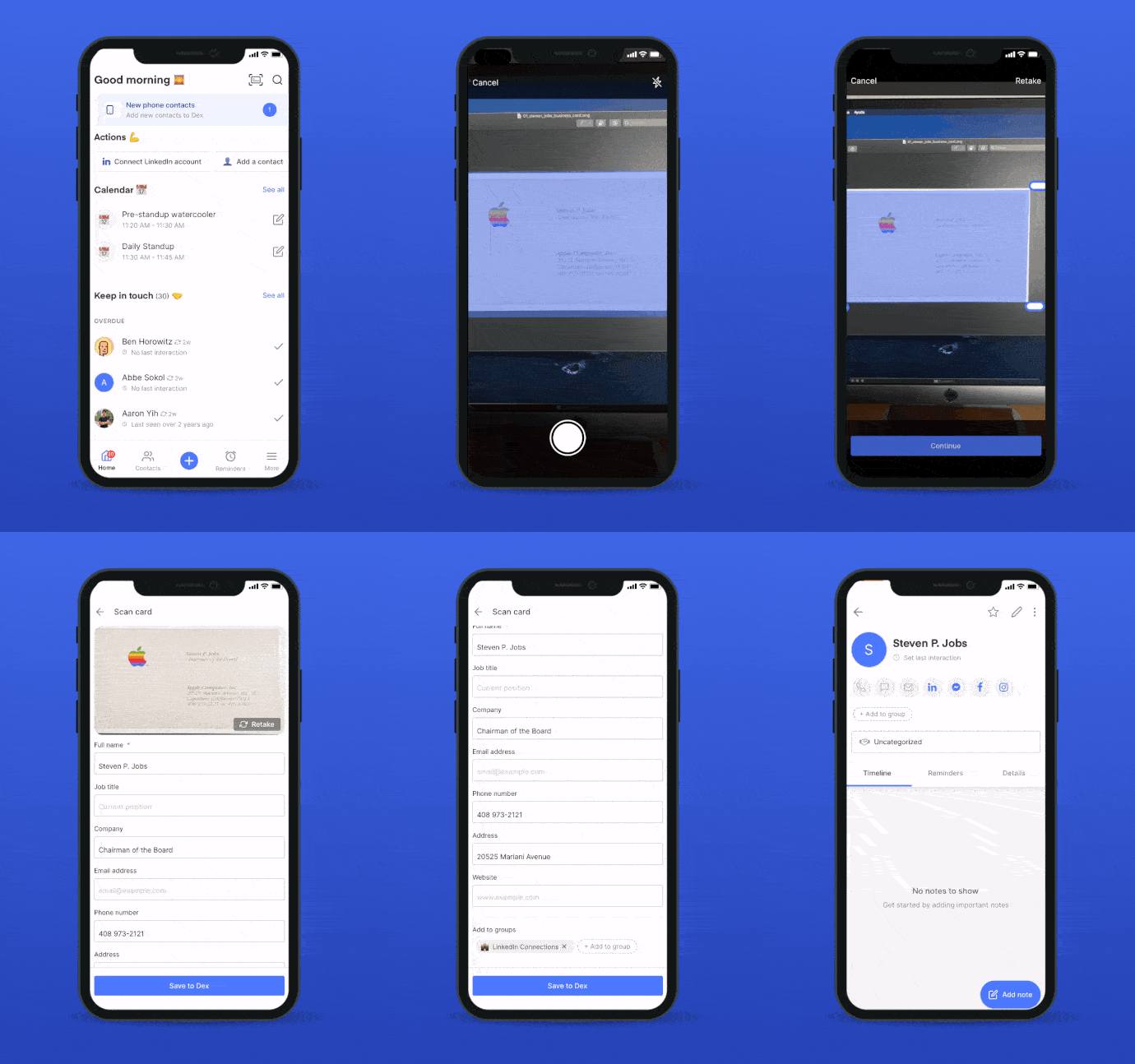

- From Dex mobile app home screen, tap the burger icon (bottom right of the screen) and select ‘Scan Card’.
- We’ll automatically read and detect card information, and pre-fill a form you can submit and edit.
- A picture of the business card will also be saved to the new contact — you’ll always have a record.